

- First, create a Key for authentication to access the Xpert intelligent agent program.
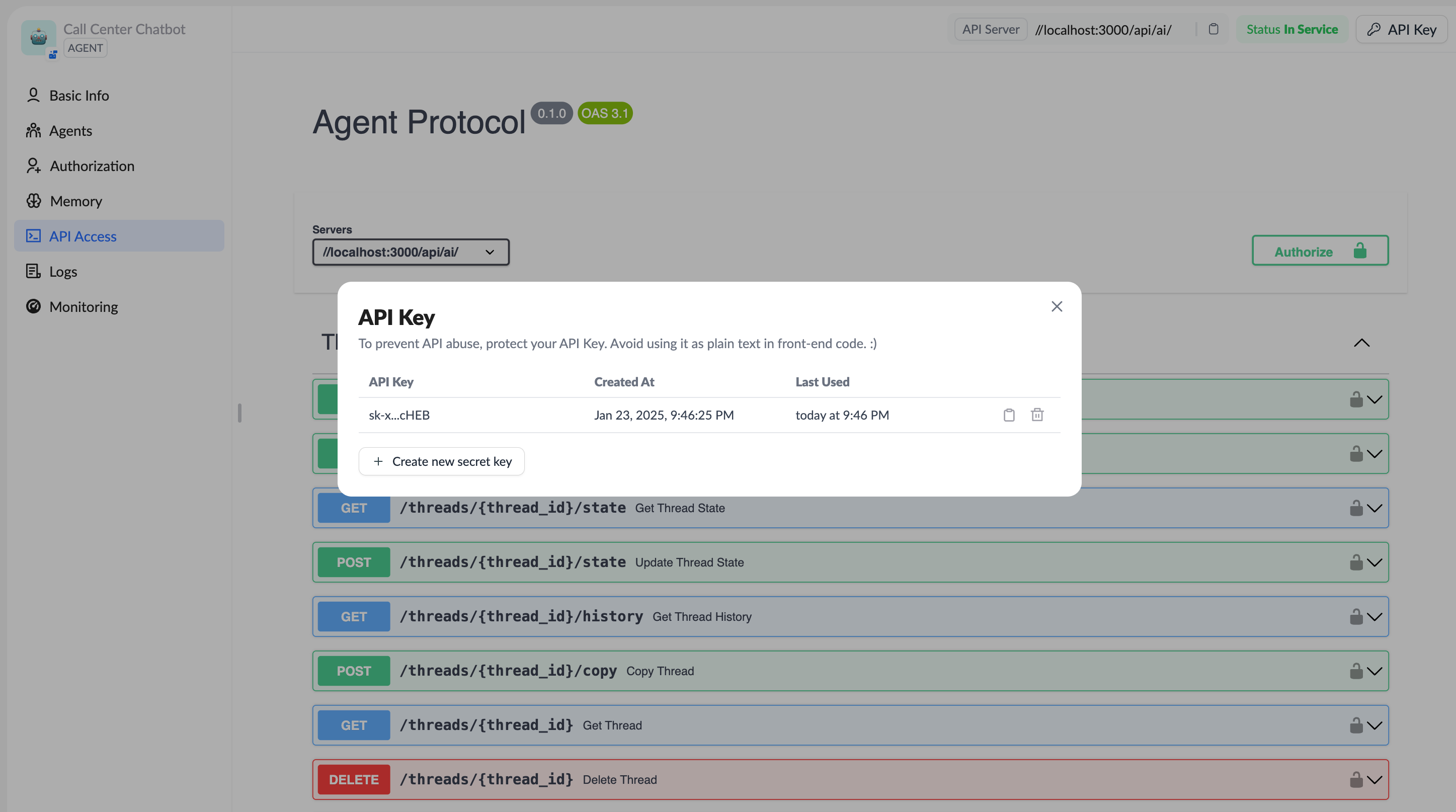
- Use the Key to access the Xpert intelligent agent’s REST APIs or use the LangGraph SDK to access the XpertAI platform.
Using the LangGraph SDK to Call the XpertAI Platform
The XpertAI intelligent agent platform can be interacted with via the LangGraph SDK (@langchain/langgraph-sdk (JS/TS SDK) / langgraph-sdk Python SDK). This SDK encapsulates the core capabilities for communicating with the LangGraph REST API, making it easy to manage core components such as assistants, threads, runs, and persistent storage (store).
Reference code: XpertAI SDK Examples
1. Installation
Ensure that the Node.js environment is installed, then install the SDK in your project:http://localhost:8123 (e.g., when started locally with langgraph-cli). Otherwise, you need to specify the API URL or apiKey during configuration (npm).
2. Initialize the Client
In JavaScript/TypeScript, you can create aClient instance as follows:
http://localhost:8123 by default (npm).
3. Managing Digital Xperts (Agents)
List Existing Digital Xperts
Retrieve a Single Digital Xpert
4. Creating and Managing Threads
Create a New Thread (Empty State)
thread_id, status, etc. (LangGraph).
Pre-fill State
Query Thread List & Retrieve State
5. Starting Runs
You can initiate a run for a specific Digital Xpert within a thread, including support for streaming responses.Start a Streaming Run
Other Run Operation Examples
6. Using Store (Persistent Storage)
Store data that needs to be saved across requests in sessions or tasks.StoreClient (LangGraph).
7. XpertAI Platform Integration Tips
- Configure Default API Address and Key: The API address must be explicitly specified, and the key can be configured uniformly using the environment variable
LANGGRAPH_API_KEY. - Stream Output to Frontend: Suitable for React and other frontends, you can use the SDK’s streaming capabilities to build real-time conversational interfaces.
- Persistent Memory: Use the Store feature to save key session data, enhancing the agent’s memory capabilities.